

 VidHex — Enhance video quality with AI
 Enhance video details and clarity with AI technology and get stunning, high-quality video in any scenario.
Best AI Features for Enhancing UGC Video Quality

UGC video stands for User-generated content video. It refers to any social media videos created by regular people instead of professionals and organizations. In 2026, UGC creator has become a hot topic. Apart from sharing, UGC video has also take a major part in brand promotion. No matter what your UGC video is used for, personal sharing or brand promotion, it is vital to improve the UGC video quality. This article will introduce some AI tools with the best features for enhancing the UGC video quality from video image, quality and content structure.

Contents:
Part 1. Why Enhancing UGC Video Quality is Important.
UGC raw video is favored by most people in 2026 because it seems more real. However, you should still try to enhance the video as you can. Here are some reasons:
The First Impact: low quality doesn't just look "unprofessional"—it actively kills your connection with the audience.
Algorithm Preference: Modern social algorithms (TikTok, Instagram, YouTube) prioritize watch time and video completion. If your video is blurry or the audio is piercingly loud, people swipe away in under 1 second. The algorithm then labels your content as "low interest" and stops showing it to new people.
Listener Fatigue: Poor audio (wind noise, echo, static) actually causes physical strain. Viewers have to work their brains harder to "fill in the gaps" of what you’re saying. This leads to subconscious irritation, making them less likely to like or comment.
Brand Impression: For brands, low quality is a direct threat to the bottom line. It’s the difference between a "viral hit" and a "scam alert."
Trustworthy: Studies show that 87% of consumers say video quality directly impacts their trust in a brand. If a testimonial video has bad lighting or muffled sound, viewers don't think, "Oh, they're authentic." They think, "Is this a scam site?"
Lower Conversion Rate: In paid advertising, low-quality videos get lower Click-Through Rates (CTR). Because the ad isn't performing well, platforms like Meta or TikTok will charge you more per click to compensate. You are literally wasting your marketing budget on "bad pixels."
Part 2. Best AI Features for Enhancing UGC Video Quality
Enhancing video is no longer hard and professional as before with the help of AI. You can use AI tool to improve your UGC video quality with the following 3 tools.
Improve UGC Video Image Quality: Upscaling and Enhancing with VidHex
Most raw UGC videos are low resolution, blurry and shaky image, low light, etc. If you face the same problem, you can try using VidHex AI video enhancer, an AI-powered video enhancer to upscale and enhancer video quality rather than simple sharpening. Different from the traditional video enhancer, it adapts deep learning models to analyze process video frame by frame automatically without complicated operation. It will also fix the blurry and create a real 4K for you without quality loss.

Key Features:
• Remove video noise and enhance video clarity.
• Specialized face enhancement restores your beaty in your vlog.
• Restore lost detail and texture, improving video vibe.
• Color enchantment model brings back the true color of your video.
• Low enhancement mode fixes the dim light and low light grain.
Enhance UGC video image with VidHex
Step 1. Download and install the VidHex Video Enhancer.
Step 2. Click Add Files and choose the video you want to enhance.
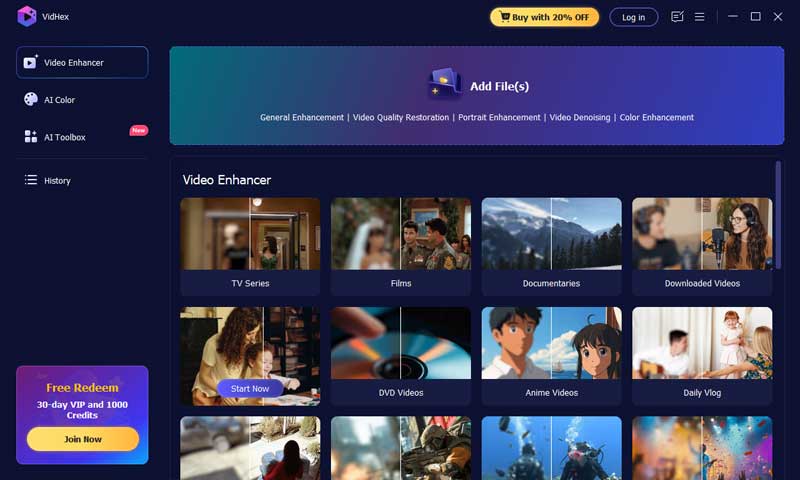
Step 3. Choose the model according to your specific needs. Normally, you can use the General Enhancement Model.
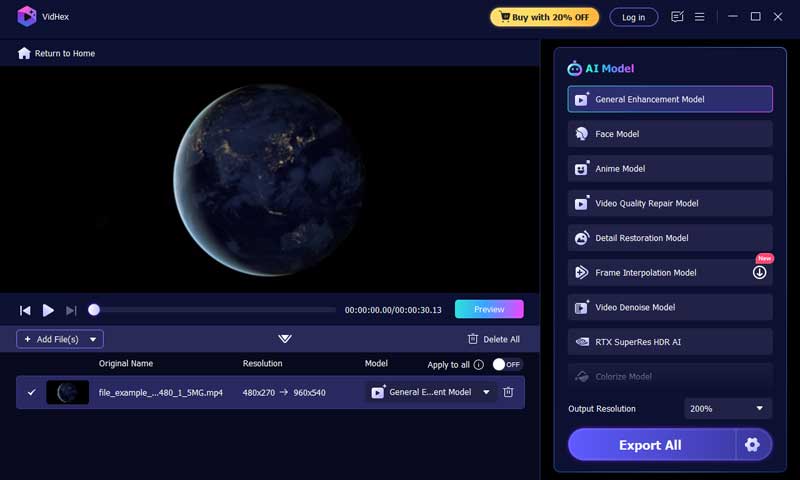
Step 4. Click Preview to see the enhanced video. Then, click Export All to save the video file if you are satisfied.
Remove Noise and Background Noise
Audio is more important than video. Viewers will tolerate a slightly blurry video, but they will immediately abandon a video with bad sound. Common UGC audio killers include background traffic, air conditioning hum, echo in empty rooms, or quiet mumbling.
Noise Reducer is a powerful AI noise and background noise remover for UGC video and audio. You can denoise, clean and boost your video sound easily for any types of videos.
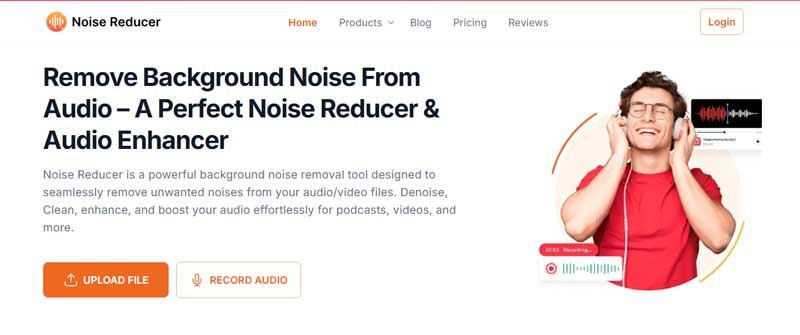
Enhance audio with Noise Reducer
Step 1. pen Noise Reducer online site, click Upload File and add your video file.
Step 2. Wait for the video processing, preview and listen the audio result.
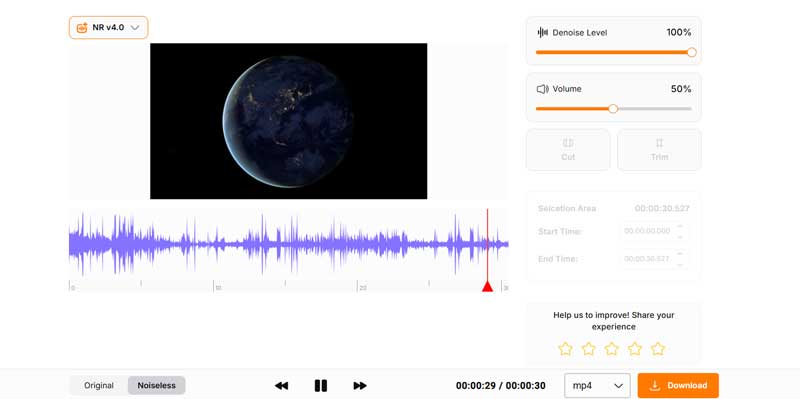
Step 3. Adjust the denoise level, volume to your satisfaction Then, click Download to save.
Make Better Content Structure: Chat GPT
Video quality isn’t just related to the video and audio quality, it is also about the content, idea and structure and these are the most difficult part because you are not always inspired and full of idea.
One helpful solution is ChatGPT, a powerful large language model AI agent. It is an incredible online friend to ask for advice and guidance before you hit the record. You can also ask for editing suggestion in your pro-producing section.
Step 1. Open ChatGPT official site and input your idea, thought and questions.
Step 2. Evaluate the answer and continue asking to revise until you receive the information you need.
Part3. Practical Tips for Enhancing UGC Video Quality
While AI tools like VidHex and VCU can work wonders in post-production, the best results come when you start with decent raw material.
Help the AI help you by following these simple filming best practices:
Wipe Your Lens: It sounds silly, but 50% of blurry UGC is caused by finger grease on the phone lens. Wipe it before every take.
Find the Light: AI is great at low light, but natural light is better. Stand facing a window. Never record with a bright window behind you (you will become a silhouette).
The "Arm's Length" Audio Rule: If you aren't using an external microphone, keep the phone within arm's length of your mouth for clearer audio pickup.
Physical Stability: You don't need a tripod. Propping your phone against a stack of books or a coffee mug will instantly make your video look more professional than holding it with a shaky hand.
Speak with Energy: The camera subtracts energy. Speak 10% louder and with slightly more enthusiasm than you would in normal conversation to translate well on screen.
Part 4. FAQs about Enhancing Video Quality
Is there an AI that can improve video quality?
Yes, there is. VidHex is one of the best choices to improve video quality. You can use VidHex to upscale video resolution, enhance image quality, colorize B&W video
Can ChatGPT enhance video quality?
No, ChatGPT can not enhance video visual quality like upscaling and denoising. It’s a text-based AI which can help you to improve your video content by offer structure and editing suggestions.
Can I convert a low-resolution video to high?
Yes, you can. VidHex offer customize video upscaling up to 8K. You can easily converter your low resolution to 4K/8K with simple clicks.
Conclusion
The future of video marketing relies on balancing authenticity with watchability. By leveraging the best AI features for enhancing UGC video quality—improving visuals with tools like VidHex, cleaning audio with technologies like Noise Reducer, and structuring content with ChatGPT—you can create content that feels real but looks professional. Start using these AI tools today to give your UGC the competitive edge it needs.